

You do not need a $2,000 gaming rig to have something to play. Plenty of the best free PC games run on hardware that would make a Steam Deck wince: old laptops, hand-me-down desktops, that one machine in the corner of your dorm room that still runs Windows 10 on 4GB of RAM. If you are bored, on a budget, and staring at hardware that groans when you open Chrome, this list is for you.
Every game here meets three rules. It is genuinely free, not “free to start, then paywalled at hour four.” It runs on what most people would call a potato PC, meaning integrated graphics, no SSD required, and a CPU from the last decade. And it is actually fun, not a tech demo with a login screen. I tested each one on a 2014-era laptop with Intel HD Graphics 4400 and 6GB of RAM, the kind of machine you can buy used for $80, and every entry on this list ran without complaining.
If you want browser games that need zero install, we have a separate list of free online games you can play right now without downloading anything. This one is for games you download once and play whenever the boredom hits. Pair it with our things to do when bored at work that will not get you fired guide for the full toolkit.
On this page
- What Counts as a Potato PC in 2026?
- Shooters That Won’t Melt Your Laptop
- Card and Strategy Games That Respect Your Time
- Roguelikes and Platformers That Cost Nothing
- Multiplayer Games for Groups and Friends
- MMORPGs That Still Run on Old Hardware
- Action RPGs and Looters
- Racing, Sim, and Strange Ones
- Casual and Browser-Based Picks
- Score Battles With Free Browser Games
- House Rules for Low-Spec Gaming
- Sources
What Counts as a Potato PC in 2026?
Roughly: anything with 4 to 8GB of RAM, an Intel HD Graphics 4000 or newer, and a CPU from the last decade. If your laptop can play YouTube without stuttering, it can run everything on this list. A few entries run on even less, and I have flagged those with a “toaster-friendly” note in their entries.
The technical cutoff is usually DirectX 11 support and 4GB of RAM. Below that, you are in retro emulation territory, which is a separate article. If you want a quick warm-up before downloading anything, try our click speed test or reaction time test right in your browser. Both run on literally anything with a screen, and our average click speed by age and average reaction time by age benchmarks give you something to aim for.
Shooters That Won’t Melt Your Laptop
Shooters are usually the hardest genre to run on low-end hardware, but the three below were either built for old machines or aged into them gracefully.
1. Team Fortress 2
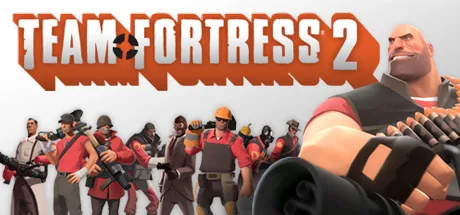
Valve’s class-based shooter is older than some of the people reading this, and that is exactly why it runs on anything with a power button. Nine classes, dozens of maps, a community that has been playing since 2007, and a cosmetics economy you can completely ignore. The casual modes are welcoming, the community servers are weird in the best way, and the art style has aged better than most releases from that year. Valve reported over 100,000 concurrent players as recently as 2024, so the lobby is not empty.
Get it: Steam (free) | Install size: about 25GB | Min RAM: 4GB Best for: quick matches, casual shooter fans, low commitment
2. Xonotic
Open-source arena shooter in the Quake tradition. Fast movement, ricocheting rockets, weapons you have to aim, and a community small enough that you will recognize regulars. The graphics scale down aggressively: if your laptop can render a web page, it can run Xonotic. The learning curve is real, but the movement alone is worth the install. The game started as a fork of Nexuiz in 2010 and has been in active community development since.
Get it: xonotic.org (free, open source) | Install size: about 1GB | Min RAM: 2GB Best for: Quake and Unreal Tournament nostalgia, fast reflex gameplay Toaster-friendly: yes
3. Krunker.io
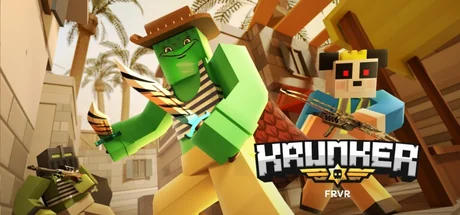
Browser-based FPS that feels like Minecraft and Quake had a baby. Blocky graphics keep system requirements basically nonexistent, and the skill ceiling is genuinely high: the top players do things that should not be possible with a mouse. Drop in, shoot people, drop out. No download required, no account needed to play. If you want something even lighter that still trains your reflexes, our reaction time guide explains the drills that actually transfer to shooters.
Get it: krunker.io (free, browser) | Install size: 0 | Min RAM: 2GB Best for: 5-minute sessions, browser-only gamers Toaster-friendly: yes
Card and Strategy Games That Respect Your Time
Card and turn-based strategy games are the safest bet for low-end hardware, because they do not need to render 60 frames of explosions per second.
4. Hearthstone
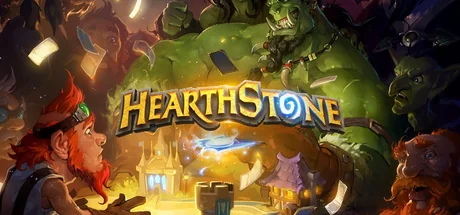
Blizzard’s digital card game set in the Warcraft universe. Yes, the monetization is aggressive at the top end, but the casual ladder and Battlegrounds mode (auto-battler, free to play, genuinely deep) run on hardware from 2014. If you have ever enjoyed a card game, Battlegrounds alone is worth the install. Blizzard reported over 20 million players in 2023, and the meta rotates often enough that returning players always have something new.
Get it: Blizzard Battle.net (free) | Install size: about 5GB | Min RAM: 4GB Best for: card game fans, long sessions, Battlegrounds addicts
5. Gwent: The Witcher Card Game
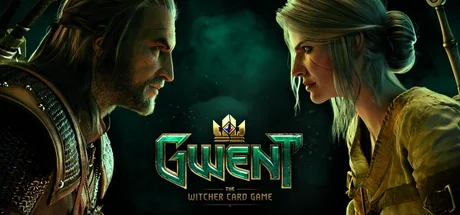
The standalone version of the mini-game from The Witcher 3. Slower, more tactical, and friendlier to free players than Hearthstone. The art is gorgeous, the matches are best-of-three, and the seasonal format keeps the meta fresh. CD Projekt Red spun it out as a standalone in 2018 and has kept it updated since. Runs on basically anything that supports DirectX 11.
Get it: GOG or Steam (free) | Install size: about 6GB | Min RAM: 4GB Best for: tactical card players, Witcher fans, slower-paced matches
6. Battle for Wesnoth
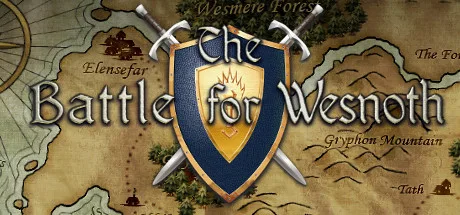
Open-source turn-based strategy in the Advance Wars tradition. Six factions, a 30-hour main campaign, dozens of community campaigns, online multiplayer, and a map editor. The graphics are 2D sprites, which means it runs on a calculator. The project started in 2003 and is still updated by volunteers. If you want a strategy game you can sink 200 hours into without paying a cent, this is it.
Get it: wesnoth.org (free, open source) | Install size: about 400MB | Min RAM: 2GB Best for: turn-based strategy fans, long campaigns, slow thinkers Toaster-friendly: yes
7. StarCraft: Brood War (Free Version)
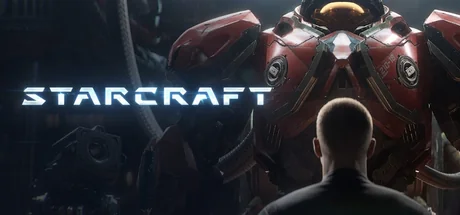
Blizzard released the original StarCraft and its Brood War expansion for free in 2017, and the original 1998 gameplay is intact. The campaign is still one of the best in RTS history, the competitive scene is somehow still alive, and the system requirements are a joke by modern standards. If you have never played it, this is a gift. Wikipedia notes that StarCraft has sold over 11 million copies since release, and the free version is the full game, not a demo.
Get it: Blizzard Battle.net (free) | Install size: about 2GB | Min RAM: 2GB Best for: RTS fans, sci-fi story, competitive multiplayer Toaster-friendly: yes
Roguelikes and Platformers That Cost Nothing
Indies and roguelikes are where the truly free, truly lightweight games live. Most of these were made by one or two people, which means they were built to run anywhere.
8. Cave Story (Freeware Original)
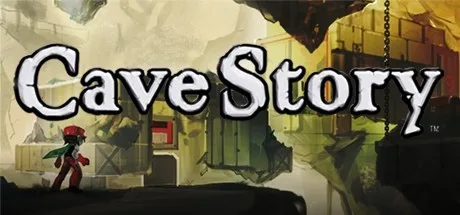
The original 2004 freeware release that launched the indie game movement. A 4-to-6 hour metroidvania with multiple endings, an excellent soundtrack, and pixel art that still looks great. The original free version is the one to get: the enhanced paid version exists, but the original is the classic. Daisuke Amaya made it solo over five years, and Wikipedia notes it is widely cited as the game that proved one-person studios could ship commercial-quality work. Runs on literally any PC made this century.
Get it: cavestory.org (free) | Install size: about 40MB | Min RAM: 512MB Best for: indie game history, metroidvania fans, 4-hour sessions Toaster-friendly: yes
9. Spelunky Classic
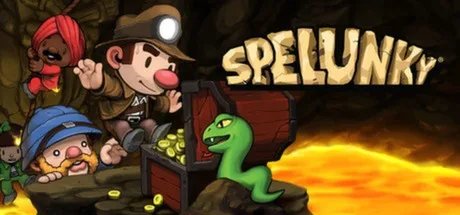
The original free version of Spelunky, before the HD remake. 2D platformer with procedurally generated caves, brutal difficulty, and a depth of systems that has spawned a decade of analysis videos. The classic version is freeware, runs on a potato, and is arguably better than the paid remake because of its raw, jagged soul. Derek Yu released it free in 2008, and the HD version came later. The original is still free forever.
Get it: spelunkyworld.com/original (free) | Install size: about 50MB | Min RAM: 1GB Best for: roguelike fans, hard games, “one more run” addicts Toaster-friendly: yes
10. Dwarf Fortress (Classic Free Version)
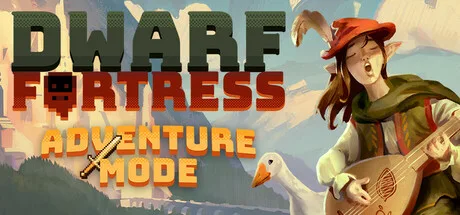
The game that inspired RimWorld, Prison Architect, and half the simulation genre. The classic ASCII version is free forever: the Steam version is paid but optional. The learning curve is a wall, but once it clicks, you will lose weeks. Tarn and Zach Adams have been developing it since 2002, and Wikipedia notes that the Steam release in 2022 sold over 500,000 copies in its first month, which says something about how beloved the free version had become. The ASCII version runs on hardware from 2005 without breaking a sweat.
Get it: bay12games.com/dwarves (free classic version) | Install size: about 20MB | Min RAM: 1GB Best for: simulation fans, deep systems, patience Toaster-friendly: yes
Multiplayer Games for Groups and Friends
If you have friends online and want something to play together without anyone needing to upgrade, these are the safe picks.
11. Brawlhalla
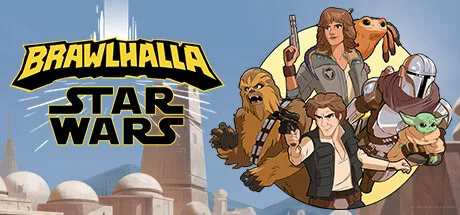
Platform fighter in the Smash Bros. tradition, with up to 8-player local multiplayer. Free to play with a rotating roster of legends (you can pay to unlock permanently, but the rotation is more than enough for casual play). The graphics are simple enough that the game runs on integrated graphics without complaint. Blue Mammoth Games launched it in 2017 and Ubisoft acquired the studio in 2018. Great for parties, great for a 10-minute session, great for siblings who need to settle something.
Get it: Steam or browser (free) | Install size: about 1GB | Min RAM: 4GB Best for: local multiplayer, party game, Smash fans
12. Among Us
Social deduction game that peaked in 2020 and is somehow still alive. Free on mobile, a few dollars on Steam, but the free mobile version is identical. Cross-play means your friends on phones can join your PC lobby. Rounds are 10 minutes, you can play with strangers or friends, and the hardware requirements are effectively zero. Innersloth reported over 500 million players in 2021, which puts it in the same league as some AAA franchises. If you would rather play something text-based with a group, our games to play over text guide has 23 options that need no install at all.
Get it: Steam, mobile, or browser (free options) | Install size: about 250MB | Min RAM: 1GB Best for: group calls, 10-minute rounds, betrayal Toaster-friendly: yes
MMORPGs That Still Run on Old Hardware
MMOs are usually hardware hogs, but the two below were either built for old machines or scaled to accept them.
13. Old School RuneScape
The 2007-era version of RuneScape, preserved and updated by Jagex. Runs in a browser or via a lightweight client. The graphics are deliberately dated, the grind is real, and the community is one of the most dedicated in gaming. Free-to-play includes a generous chunk of the map and quests. Jagex reported over 1 million paying subscribers in 2023, on top of the free player base, which says something about the staying power of a game that looks like 2007. If you want an MMO that respects your potato, this is the gold standard.
Get it: oldschool.runescape.com (free with membership option) | Install size: about 300MB client, or zero in browser | Min RAM: 2GB Best for: long grindy sessions, browser MMO fans, nostalgic players Toaster-friendly: yes
14. Albion Online
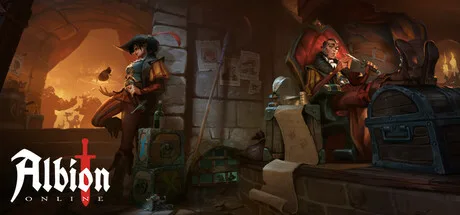
Cross-platform sandbox MMO with a player-driven economy, full-loot PvP in the black zones, and a classless system where your gear defines your role. The graphics are stylized rather than realistic, which means it scales down beautifully. Free to play with no level cap, no content locks: you can play the entire game without paying. Sandbox Interactive launched it in 2017 and has kept it fresh with regular updates. If you want a sandbox MMO that respects your potato, this is the modern pick.
Get it: albiononline.com (free) | Install size: about 12GB | Min RAM: 4GB Best for: sandbox MMO fans, crafting obsessives, PvP players
Action RPGs and Looters
15. Path of Exile
The free ARPG that rivals Diablo. Genuinely free: all content is accessible, the only paid items are cosmetic stash tabs (and you can play for hundreds of hours before you even want them). The skill tree is famously enormous, the leagues rotate every three months with new mechanics, and the game scales down well on lower settings. Grinding Gear Games launched it in 2013 and is now owned by Tencent, but the free-to-play model has not changed. The pro is that you have thousands of hours of content. The con is that you have thousands of hours of content. Note the install size: this is the heaviest entry on the list, so confirm disk space before you start.
Get it: pathofexile.com or Steam (free) | Install size: about 50GB | Min RAM: 4GB Best for: ARPG fans, build crafters, long-term players
Racing, Sim, and Strange Ones
Open-source games shine here, because they were built by people who cared more about gameplay than visuals.
16. SuperTuxKart
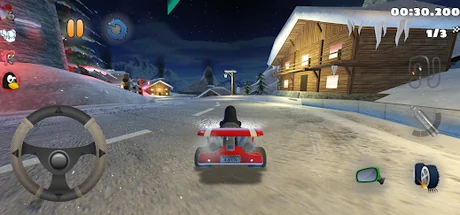
Open-source kart racer in the Mario Kart tradition. Mascots from various open-source projects (Tux the Linux penguin, the GNU wildebeest, and friends), power-ups, drift mechanics, multiplayer, and tracks that are surprisingly well-designed. Runs on a potato, supports up to 8 players locally, and is genuinely fun for kids and adults who do not take themselves too seriously. The project started in 2000 and is still updated by volunteers.
Get it: supertuxkart.net (free, open source) | Install size: about 1GB | Min RAM: 2GB Best for: local multiplayer, kart racing, families Toaster-friendly: yes
17. OpenTTD
Open-source remake of Transport Tycoon Deluxe. Build train networks, bus routes, ships, and planes. Watch your transport empire grow. The graphics are 2D isometric, the game has been in active development for over 20 years, and it runs on anything. Chris Sawyer’s original Transport Tycoon Deluxe shipped in 1994, and the OpenTTD team has been improving on it since 2004. If you have ever lost an afternoon to a tycoon game, OpenTTD will eat your weekend. Pair it with our things to do when bored at home guide for the full offline toolkit.
Get it: openttd.org (free, open source) | Install size: about 100MB | Min RAM: 1GB Best for: management sim fans, train nerds, relaxing gameplay Toaster-friendly: yes
18. 0 A.D.
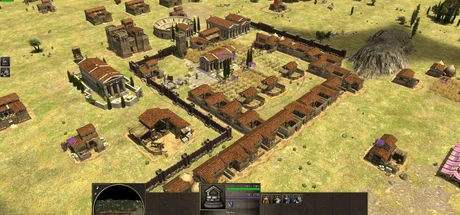
Open-source real-time strategy game inspired by Age of Empires II. Multiple civilizations, historical setting, beautiful 2D-rendered 3D graphics that scale down nicely, and active development. Still technically in alpha but completely playable. Wildfire Games started it in 2001 and is still working on it. If you wore out your Age of Empires CD in the early 2000s, this is the spiritual successor.
Get it: play0ad.com (free, open source) | Install size: about 3GB | Min RAM: 4GB Best for: RTS fans, Age of Empires nostalgia, historical strategy
Casual and Browser-Based Picks
19. Slither.io
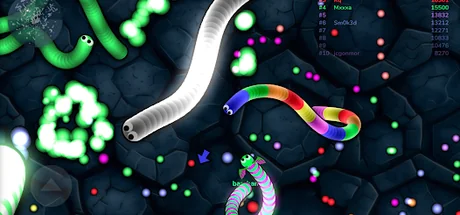
Browser game that ate 2016 and never quite left. You are a snake, you eat pellets, you grow longer, you try not to crash into other snakes. That is it. Runs on anything with a browser, requires no account, and is the perfect thing to play in a tab while pretending to work. Steve Howse released it in 2016, and Wikipedia notes it was one of the most-searched games on Google that year. For more like this, see our list of cool websites to cure your boredom and our free offline browser games guide.
Get it: slither.io (free, browser) | Install size: 0 | Min RAM: 1GB Best for: 2-minute sessions, browser only, brain off Toaster-friendly: yes
20. Roblox
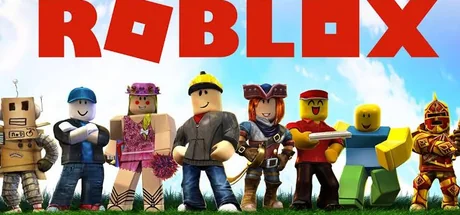
Yes, it is the children’s game platform. It is also a free game engine with millions of user-made games, ranging from genuinely great platformers to bizarre horror experiences to full MMOs. The platform itself runs on low-end hardware, and the variety of games means there is something for everyone. Roblox Corporation reported over 70 million daily active users in 2024. Do not dismiss it until you have tried a few of the top-rated experiences: some of them are better than paid indie games.
Get it: roblox.com (free with in-game purchases) | Install size: about 200MB client | Min RAM: 2GB Best for: trying many games in one place, casual sessions, kids and teens
Score Battles With Free Browser Games
This is where low-spec gaming meets friendly rivalry. Pick a free browser game, each play a round, screenshot your score into the chat. Highest score wins. It works because the game does the judging, so there are no arguments about rules. This is also the easiest way to play with a friend who is on a phone or a work laptop that cannot install anything. If your friend also has a weak PC, send them this potato PC games list first, then duel in chat with the toys below.
21. Click Speed Duel

Both play the click speed test once and send the result. Best of three decides the winner. If you want to train first, our guide to improving click speed explains jitter, butterfly, and drag clicking.
Send this: “Click speed duel. Best of 3 on the click speed test. Screenshot your CPS each time.”
22. Reaction Time Showdown

Use the reaction test and send your best time. Lowest time after 5 tries wins. If you want to know what a good score looks like, our average reaction time by age benchmarks show how you compare.
Send this: “Reaction test showdown. Lowest time after 5 tries wins. Go.”
23. 2048 High Score Race
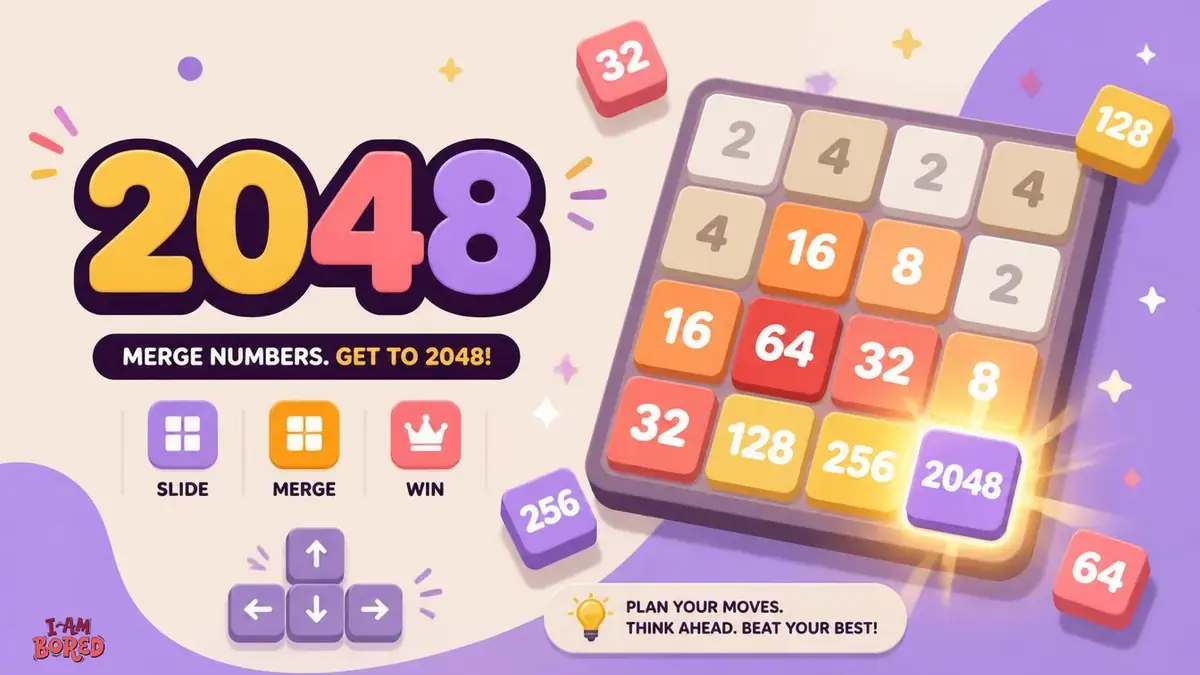
Play 2048 at the same time and compare your best tile. First to 4096 wins, or highest tile after 10 minutes. Our 2048 strategy guide and advanced guide to reaching 4096 and 8192 will give you an unfair advantage.
Send this: “2048 race. First to 4096 wins, or highest tile after 10 minutes. Screenshot your board.”
House Rules for Low-Spec Gaming
Low-spec gaming has its own etiquette. A few rules keep things smooth.
- Check the install size before you commit. Path of Exile is about 50GB. Slither.io is zero. If your hard drive is small, know what you are getting into.
- Close background apps before launching. Chrome with 30 tabs will eat RAM your game needs. Close it, play, reopen.
- Lower the settings first, raise them later. Start at the lowest preset, then bump up until it stutters. That is your real settings ceiling.
- Keep your drivers updated, but do not obsess. Intel and AMD push updates that help integrated graphics, but a fresh install of an old driver often runs better than the latest one on old hardware.
- SSD beats RAM for load times. If you have a choice between more RAM or a cheap SSD, get the SSD. Load times matter more than frame rate for the games on this list.
- If a game stutters, cap the frame rate. Most games let you limit FPS in settings. Capping at 30 or 60 keeps the experience smooth on hardware that would otherwise choke.
- Take breaks too. If you are gaming because you cannot sit still, our things to do when bored without your phone and things to do when bored at 3AM guides cover the offline side.
Sources
- Team Fortress 2, Wikipedia
- StarCraft, Wikipedia
- Cave Story, Wikipedia
- Spelunky, Wikipedia
- Dwarf Fortress, Wikipedia
- Slither.io, Wikipedia
- Among Us, Wikipedia
- Old School RuneScape, Wikipedia
- Transport Tycoon, Wikipedia
- Path of Exile, Wikipedia
- OpenTTD, official site
- Battle for Wesnoth, official site
If you are going to play, know the lore too. Our strange Pokemon facts roundup checks every claim against Wikipedia, Bulbapedia, and official Pokedex entries. For Pokemon dub errors and early anime continuity goofs, we have a sourced list of those too. For more retro gaming weirdness, including kill screens, debug modes, and famous exploits, see our 10 weirdest bugs in video game history. For cut content still sitting in shipping files, see bizarre things found in video game code. For more gaming history, including cancelled projects you will never play, see our lost video games list. Prefer zero-install options that keep working after the page loads? Start with best free offline browser games.




Discussion
Leave a comment
Thoughtful notes welcome. No links, no promo pitches. Your comment is emailed to us for review. Nothing goes live automatically.